Start here · Beginner · 5 lessons, about 50 minutes in total
Prompting for beginners
Ask AI tools like ChatGPT and Claude for what you actually want, and get it back first time more often. You’ll see why vague prompts get vague answers, learn the four parts of a good prompt, show the AI examples, fix answers you don’t like, and finish with your own tested prompt kit.

What you build
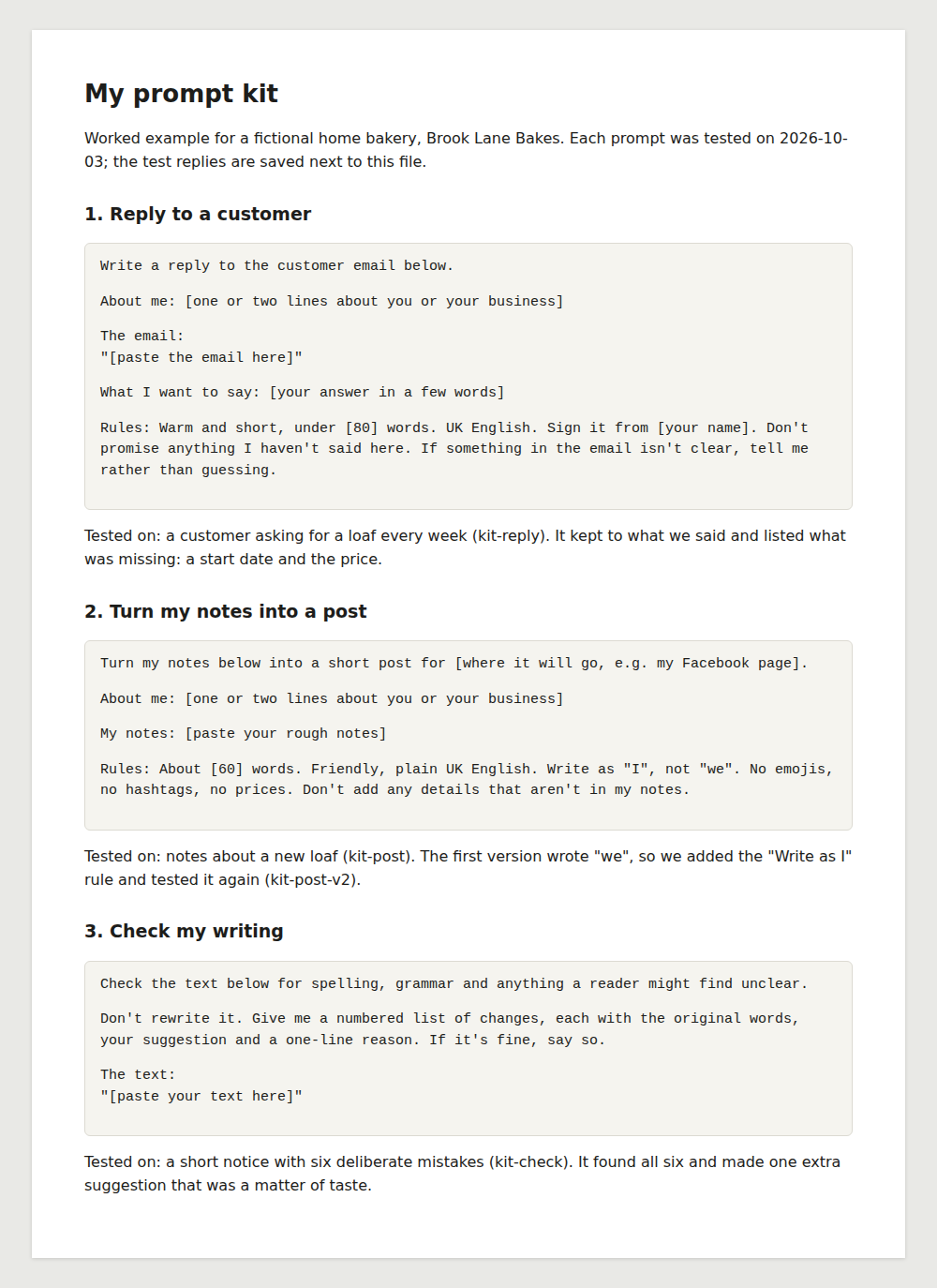
Your own prompt kit: three reusable prompts for jobs you do every week, each tested on a real task, fixed where it fell short, and saved in one document. Our worked example is the kit for Brook Lane Bakes, a made-up home bakery.
Fictional example business
Brook Lane Bakes does not exist. We wrote the prompts; every reply quoted in this course is exactly what Claude sent back.
Not for: Developers writing prompts for apps. This course is about chatting with AI tools, not building with them.
Before you start
- Time
- 5 lessons, about 50 minutes in total
- Level
- Beginner
- Cost
- Free.
- Certificate
- Certificate of completion, with its own verification link
Tools and what they cost
- Claude (Free plan) or ChatGPT (Free plan)Free
What you need
- A free ChatGPT or Claude account (“AI for beginners” lesson 2 shows you how)
- A few real jobs you’d like help with: emails, posts, notices or checking your writing
- No technical knowledge
- A notes app or word processor to save your prompt kit in lesson 5 (one already on your device is fine)
Who it’s for
- People who use AI chat but find the answers vague or generic
- Anyone who has done “AI for beginners”
- Small-business owners who write the same kinds of emails and posts every week
The lessons
Module 1
Say what you mean
Module badge: Clear asker
Module 2
Fix it and keep it
Module badge: Prompt kit builder
At the end
Finish all 5 lessons and you’ll get a certificate of completion, with its own verification link and an “Add certificate to LinkedIn profile” button.
Completion is self-reported: we do not check your prompt kit. It is not an exam result, a qualification or an accreditation. How certificates work.
Questions about this course
Do these prompts work in ChatGPT and Claude?
Yes. Both companies give the same basic advice: be clear and specific, give context, and refine as you go. Our example replies came from Claude, so yours will be worded differently.
Do I need to learn special words or codes?
No. Every prompt in this course is plain English, and the makers of both tools suggest writing to the AI the way you’d brief a person.
Does a good prompt mean I don’t have to check the answer?
No, and that’s the catch. In lesson 1, our best prompt still got a reply that promised something we never said. So read every line.
Does it cost anything?
No. The free plans of ChatGPT and Claude cover the whole course.
Sources, checked 3 October 2026
- OpenAI Help Center: Prompt engineering best practices for ChatGPT
- OpenAI Help Center: How do I create a good prompt for an AI model?
- Claude Platform Docs: Prompting best practices
- Claude Platform Docs: Reduce hallucinations
- Claude: Plans and pricing
- ChatGPT: Pricing
- Claude Help Center: Who can view my conversations? (be mindful about sensitive information)