Start here · Beginner · 5 lessons, about 49 minutes in total
Claude for beginners
Get started with Claude, Anthropic’s AI assistant, on a free account. You’ll log in and ask your first questions, pick the right settings for the job, hand Claude a document to summarise, keep your instructions in one place and ask for a small tool that does one job.

What you build
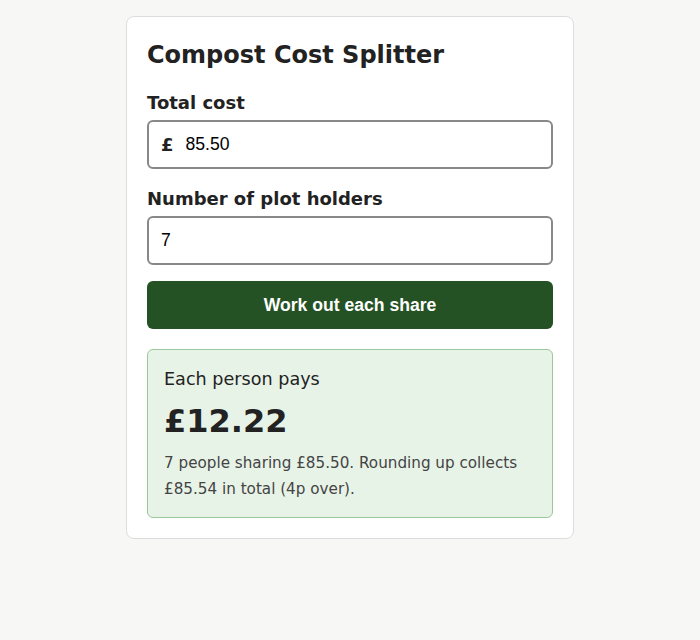
A small web page that splits the cost of a shared compost order between plot holders, written by Claude from one prompt and checked by you with real numbers. Our worked example belongs to the Maple Street Allotment Society, a made-up allotment society.
Fictional example society
Maple Street Allotment Society does not exist. We wrote the newsletter and the prompts, and every reply quoted in this course is exactly what Claude sent back.
Not for: Developers building with the Claude API or Claude Code. This course is about the chat on claude.ai and the apps.
Before you start
- Time
- 5 lessons, about 49 minutes in total
- Level
- Beginner
- Cost
- Free.
- Certificate
- Certificate of completion, with its own verification link
Tools and what they cost
- Claude (Free plan)Free
What you need
- A computer, phone or tablet with a web browser
- An email address, or a Google account, to log in with
- A document of your own for lesson 3 (a newsletter, a letter or a report, in a format Claude can read)
- No technical knowledge
Who it’s for
- Anyone who wants to learn Claude specifically, rather than AI in general
- People who have done “AI for beginners” and want to use more of what Claude can do
- Clubs, societies and small businesses with newsletters, notices and regular emails to write
The lessons
Module 1
Get started
Module badge: Claude starter
Module 2
Put Claude to work
Module badge: Claude at work
At the end
Finish all 5 lessons and you’ll get a certificate of completion, with its own verification link and an “Add certificate to LinkedIn profile” button.
Completion is self-reported: we do not check your work. It is not an exam result, a qualification or an accreditation. How certificates work.
Questions about this course
Is Claude free?
Claude has a Free plan, listed on its plans page as “Free for everyone”. It’s got usage limits, so a long session can run out. The paid plans give more usage.
Who can use Claude?
You’ll need to be at least 18, and in a location Claude supports. You can use it in a web browser, in the desktop app for Mac or Windows, or in the mobile apps.
Do I need to know how to write prompts first?
No, you don’t. You write to Claude in plain English, like you’d talk to a coworker or a friend. If you want to get better at it afterwards, “Prompting for beginners” covers it.
Can I trust what Claude tells me?
Check it. In lesson 3 our summary was right, but its date table put March ahead of January, and in lesson 4 it added a rule we never gave it. So read every line that matters.
Should I put private details into Claude?
Be careful. Anthropic recommends being thoughtful about sharing highly sensitive details such as financial information, health records, passwords and confidential documents.
Sources, checked 9 October 2026
- Claude: Plans and pricing
- Claude Help Center: Get started with Claude
- Claude Help Center: What are some things I can use Claude for?
- Claude Help Center: Log in to your Claude account
- Claude Help Center: Change the model, effort, and thinking settings
- Claude Help Center: How do usage and length limits work?
- Claude Help Center: Upload files to Claude
- Claude Help Center: What are projects?
- Claude Help Center: Understanding Claude’s personalization features
- Claude Help Center: What are artifacts and how do I use them?
- Claude Help Center: I would like to input sensitive data into my chats with Claude. Who can view my conversations?