Build something · Beginner · 5 lessons, about 55 minutes in total
Build a website with AI and put it online
Write a short brief, ask Claude to turn it into a one-page website, check every line, then put it online for free with Cloudflare Pages. There’s no code to learn: you copy, paste, check and drag a folder.

What you build
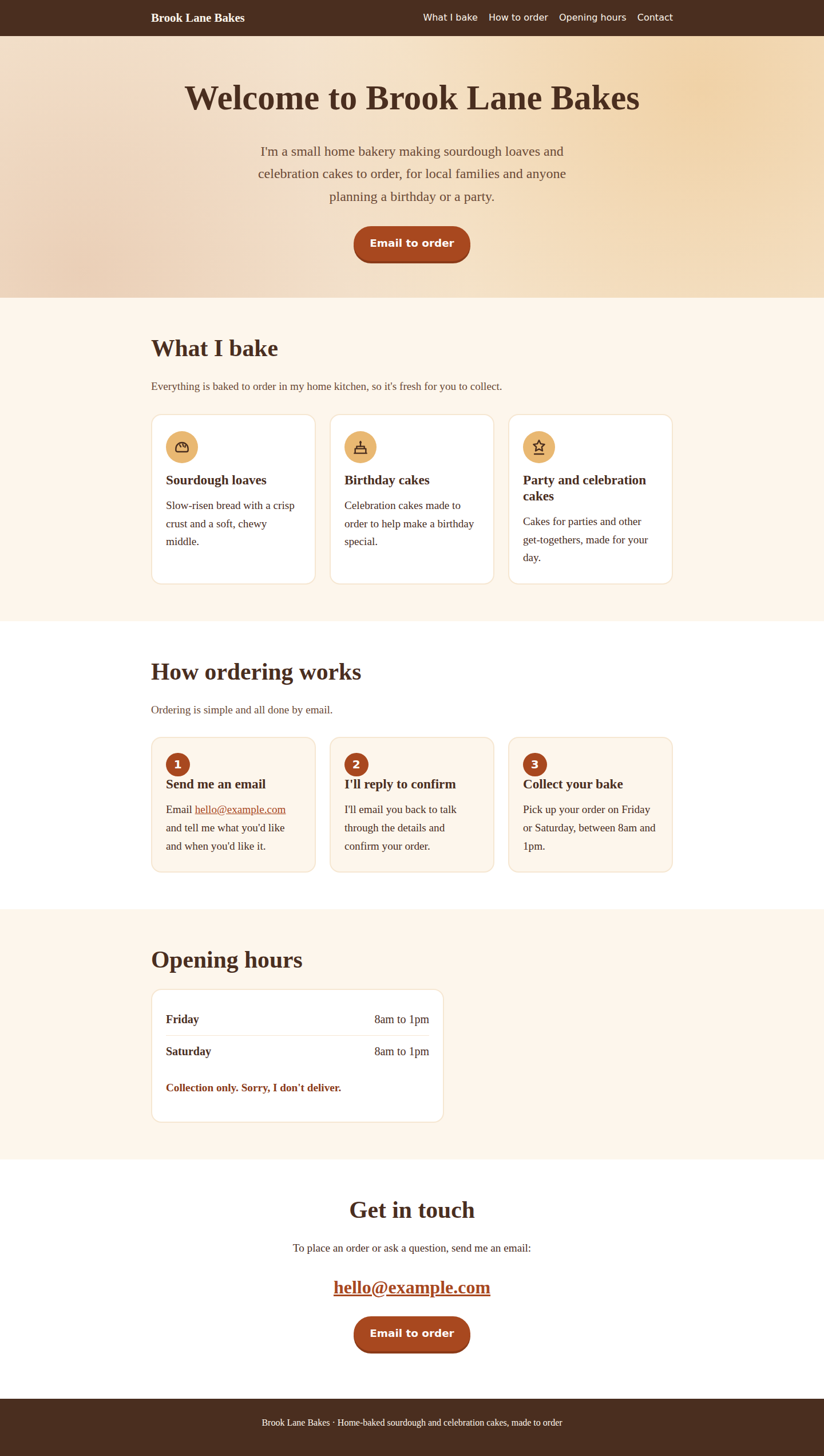
A one-page website for a small business or club: a welcome, what you offer, how to get in touch, and your opening hours, working on phones and laptops. Our worked example is Brook Lane Bakes, a fictional home bakery.
Fictional example business
Brook Lane Bakes does not exist. We made up the brief for this course; the page itself is exactly what Claude produced from it.
Not for: People who need an online shop, bookings or payments. This course makes one simple page.
Before you start
- Time
- 5 lessons, about 55 minutes in total
- Level
- Beginner
- Cost
- Free. A domain name of your own is optional.
- Certificate
- Certificate of completion, with its own verification link
Tools and what they cost
- Claude (Free plan)Free
- Cloudflare Pages (Free plan)Free
- A text editor (Notepad or TextEdit)Free, already installed
- Your own domain name (optional)Optional. Varies by ending; about US$5 to US$11 a year for .co.uk or .com at Cloudflare Registrar
What you need
- A laptop or desktop computer (Windows or Mac). You can read the lessons on a phone, but saving files is easier on a computer.
- An email address, to make free Claude and Cloudflare accounts
- A plain text editor, already on your computer: Notepad on Windows, TextEdit on a Mac
- No coding knowledge
Who it’s for
- Small-business owners, sole traders, clubs and community groups who want a simple web page
- People who have never written code and don’t want to learn
- Anyone who has done “AI for beginners” and wants a first real project
The lessons
Module 1
Get ready
Module badge: Ready to build
Module 2
Build it and put it online
Module badge: Built and online
At the end
Finish all 5 lessons and you’ll get a certificate of completion, with its own verification link and an “Add certificate to LinkedIn profile” button.
Completion is self-reported: we do not check the website you build. It is not an exam result, a qualification or an accreditation. How certificates work.
Questions about this course
Do I need to know how to code?
No. Claude writes the code. You paste your brief in, copy the reply into a file, check what it says and drag a folder into Cloudflare. Lesson 4 shows you how to ask for changes in plain words.
Does it cost anything?
No. Claude’s Free plan and Cloudflare Pages’ free plan cover everything in this course. A domain name of your own is optional and is the only thing you might pay for.
Can I use ChatGPT or another AI tool instead of Claude?
Yes, the prompt works as written in any AI chat tool that can write code. The screenshots show Claude, so the buttons in your tool will look different, and the page you get back will be different from ours.
Will my page look like the example?
No, and it shouldn’t. AI gives a different answer each time, and your brief is different too. What should match is the shape: one file, your sections, and a page that works on a phone.
Can I add a shop, bookings or a contact form?
Not in this course. A contact form needs something to receive the messages, which a single page on its own can’t do. So we keep it to one page with an email link.
Who owns the page I make?
Check the terms of the AI tool you use. The page is published on your own Cloudflare account, and you can change or delete it at any time.
Sources, checked 3 October 2026
- Claude: Plans and pricing
- Cloudflare Docs: Pages limits
- Cloudflare Docs: Pages Functions pricing (static asset requests)
- Cloudflare Docs: Direct Upload (drag and drop)
- Cloudflare Registrar
- cfdomainpricing.com (third-party tracker of Cloudflare Registrar prices, by NameBeta; not Cloudflare)
- Cloudflare Docs: Create account
- Cloudflare Docs: Pages custom domains
- Microsoft Support: Common file name extensions in Windows (how to show them)
- Microsoft Q&A: HTML in Notepad (community answer: type the file name in quotation marks, "index.html", so Notepad does not add .txt)
- Apple Support: Work with HTML documents in TextEdit on Mac
- RFC 2606: Reserved top-level DNS names (example.com, .example)
- Claude Help Center: Claude is providing incorrect or misleading responses
- Claude Help Center: Get started with Claude (access, the 18+ age requirement, Free plan usage limits)